
Training for employees and customers
Learning that sticks.
Zudoria makes training on equipment, machinery and workplace processes simple. Create lessons on your phone, pass them on as a course file – and your people learn wherever they are. No internet needed.
Free to install. Try it for 30 usage days, then buy once.
For Android phones and tablets.
How Zudoria works
Studio and Viewer are the same app. Whoever creates can also learn – and the other way round.
Create
In Studio you build lessons from text, images, video, audio and PDF. Practice questions check that the essentials got through.
Share
Publishing creates a fixed version. Send the course file by e-mail or messenger, or put it on the intranet.
Learn
Recipients open the file in Zudoria and learn on their device. Progress and records stay local.
Studio
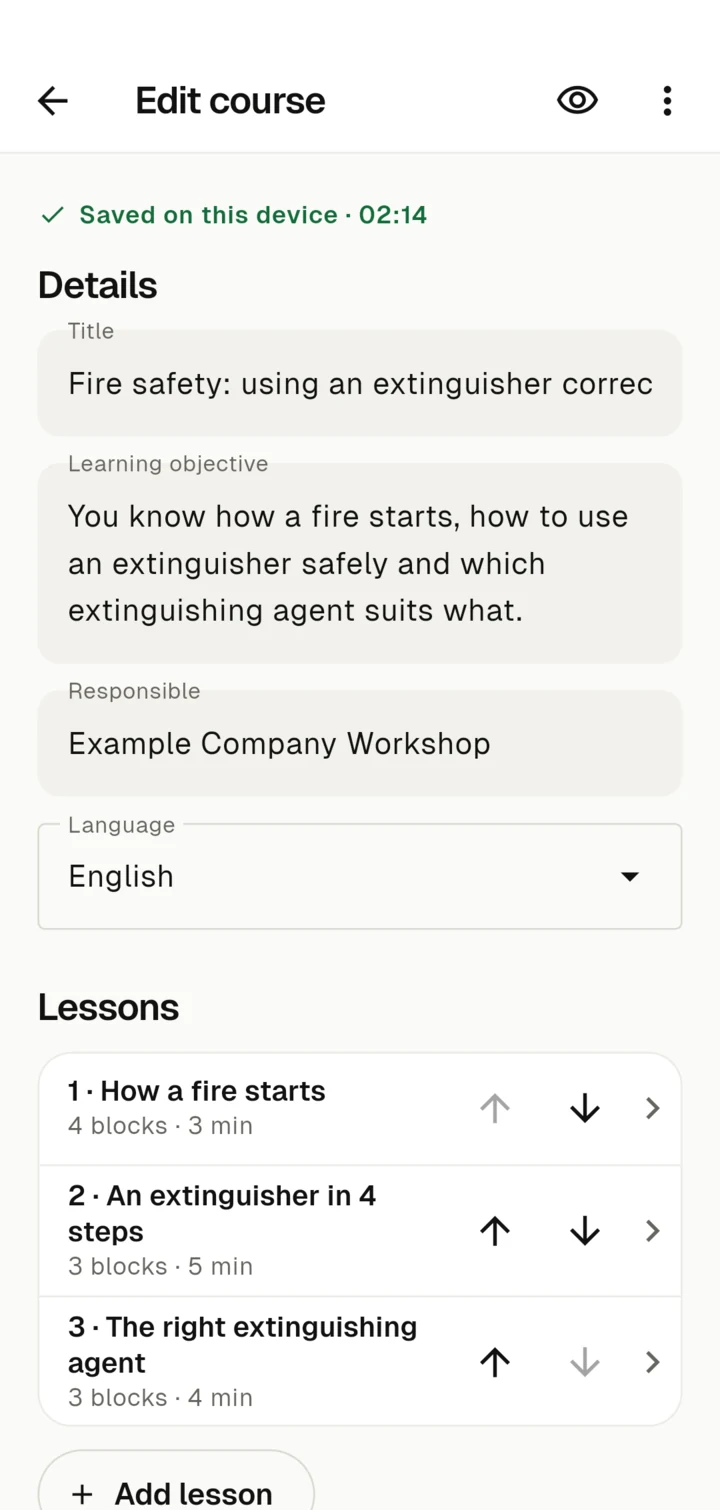
Create lessons without a training department
If you know how it's done, you can show it. That's all it takes.
Building blocks, not slides
Text, image, notice, video, audio and PDF – in the order the work happens.
Practice questions
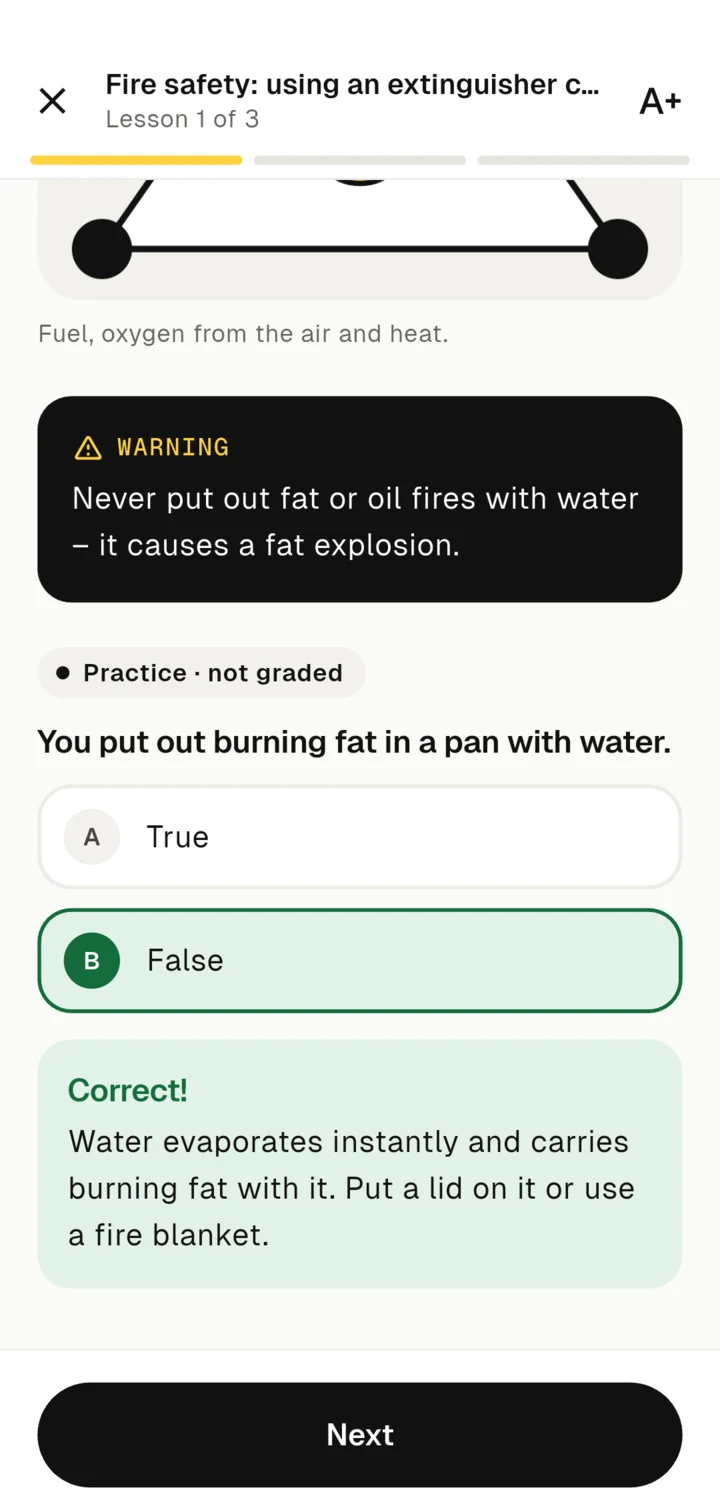
Single choice, multiple choice and true/false, each with an explanation. Practice does not count towards a grade.
Edit videos right there
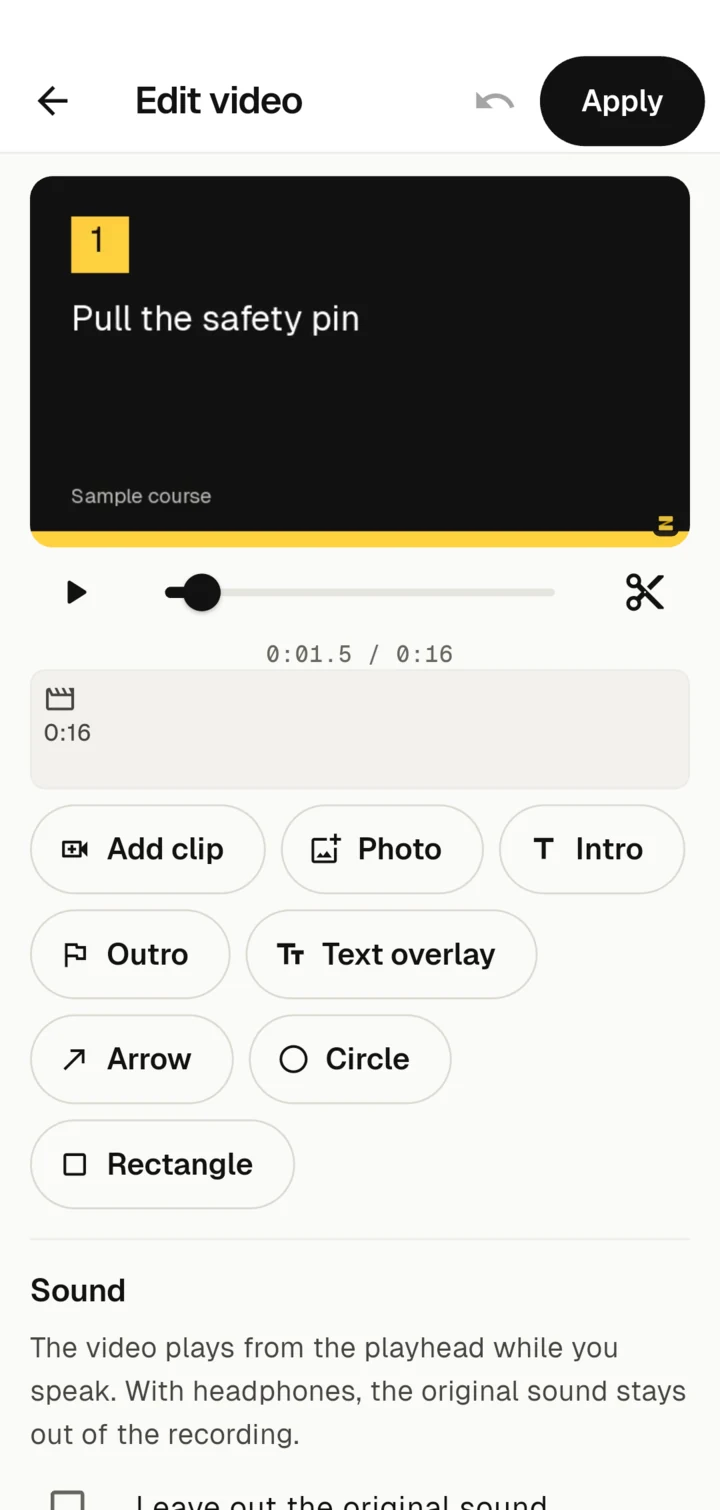
Trim and join clips, add an intro and text overlays, record a voice-over – all in the app, no editing software.
Fixed versions
Publishing checks required details such as transcripts and saves an unchangeable version. Afterwards you keep working on the draft.
Viewer
Learn where the work happens
At the machine, in the van, on the customer's premises – no login, no network.
Learn offline
Once imported, the course runs entirely on the device. Progress is saved locally.
Short lessons
Every lesson shows how long it takes. Videos have captions and a transcript so they work without sound.
Participation confirmation
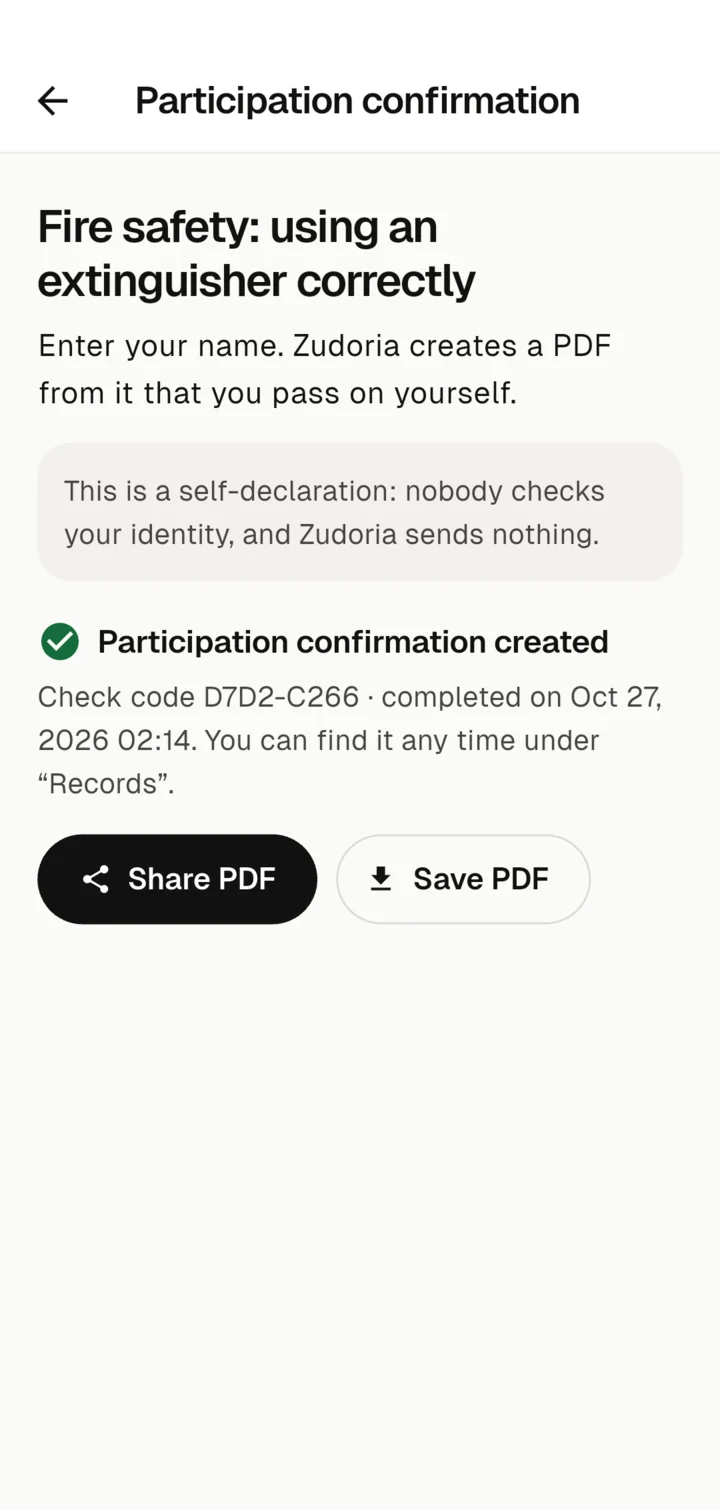
At the end you create a PDF with a check code and send it on yourself. It is a self-declaration that stays on your device.
Easy to read
Large text, light and dark design, clear contrast, and everything works by tapping or keyboard.
A look inside the app
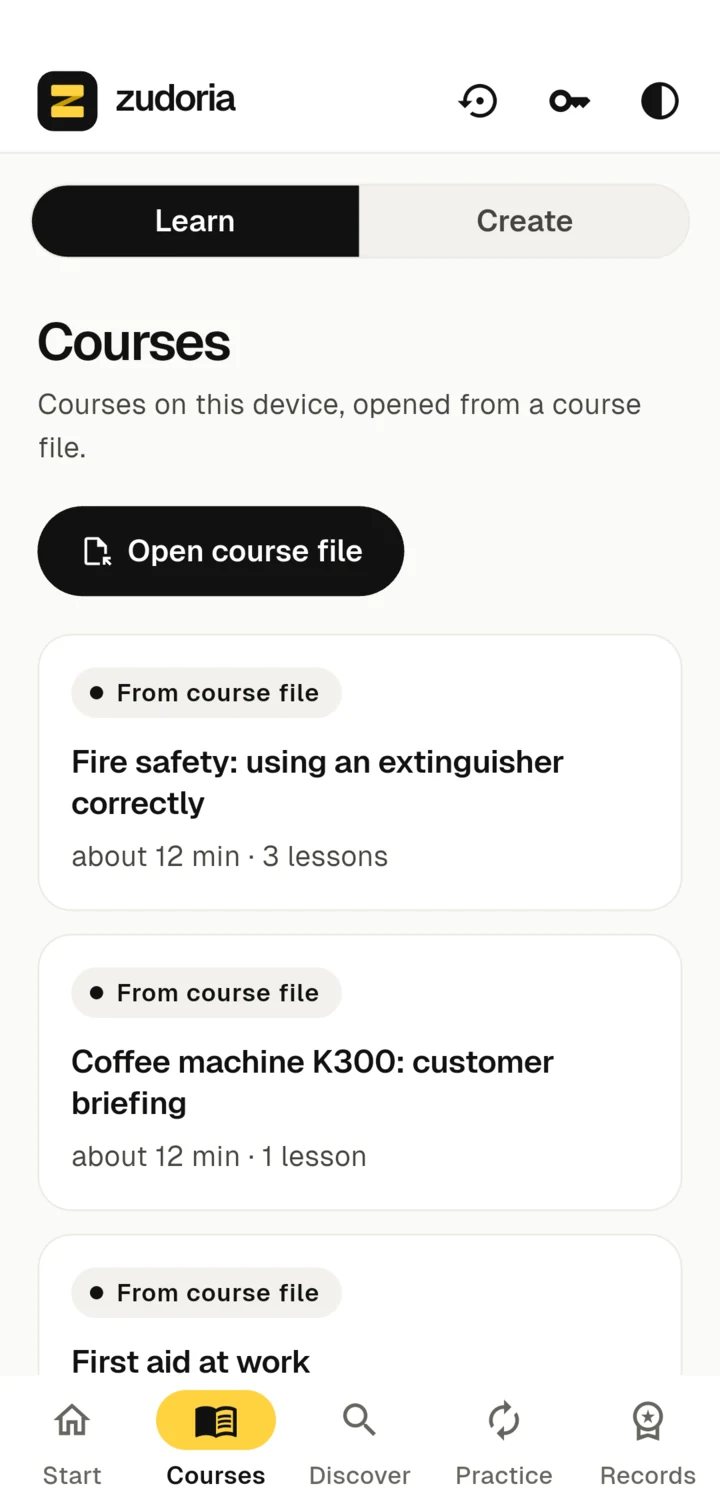
Real screens of the Android app with a sample course on fire safety.
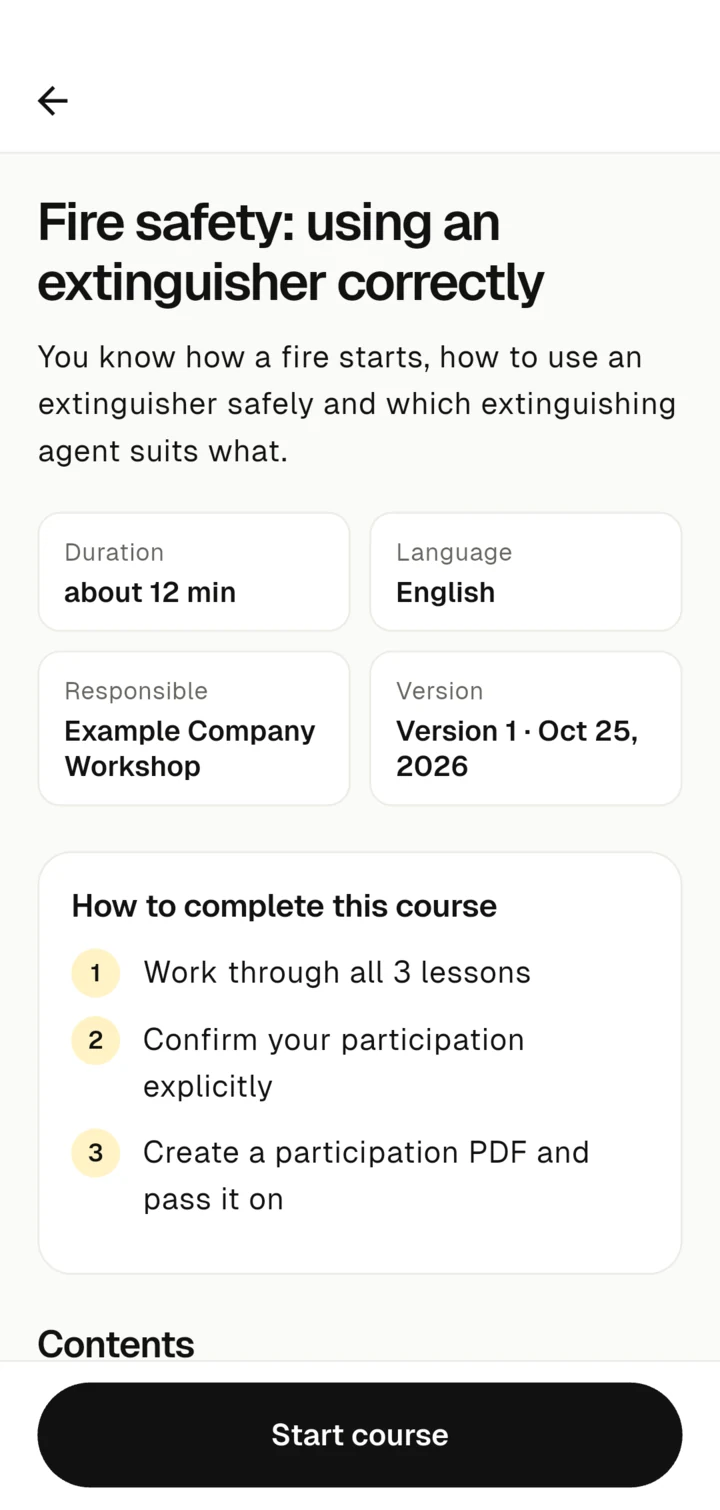
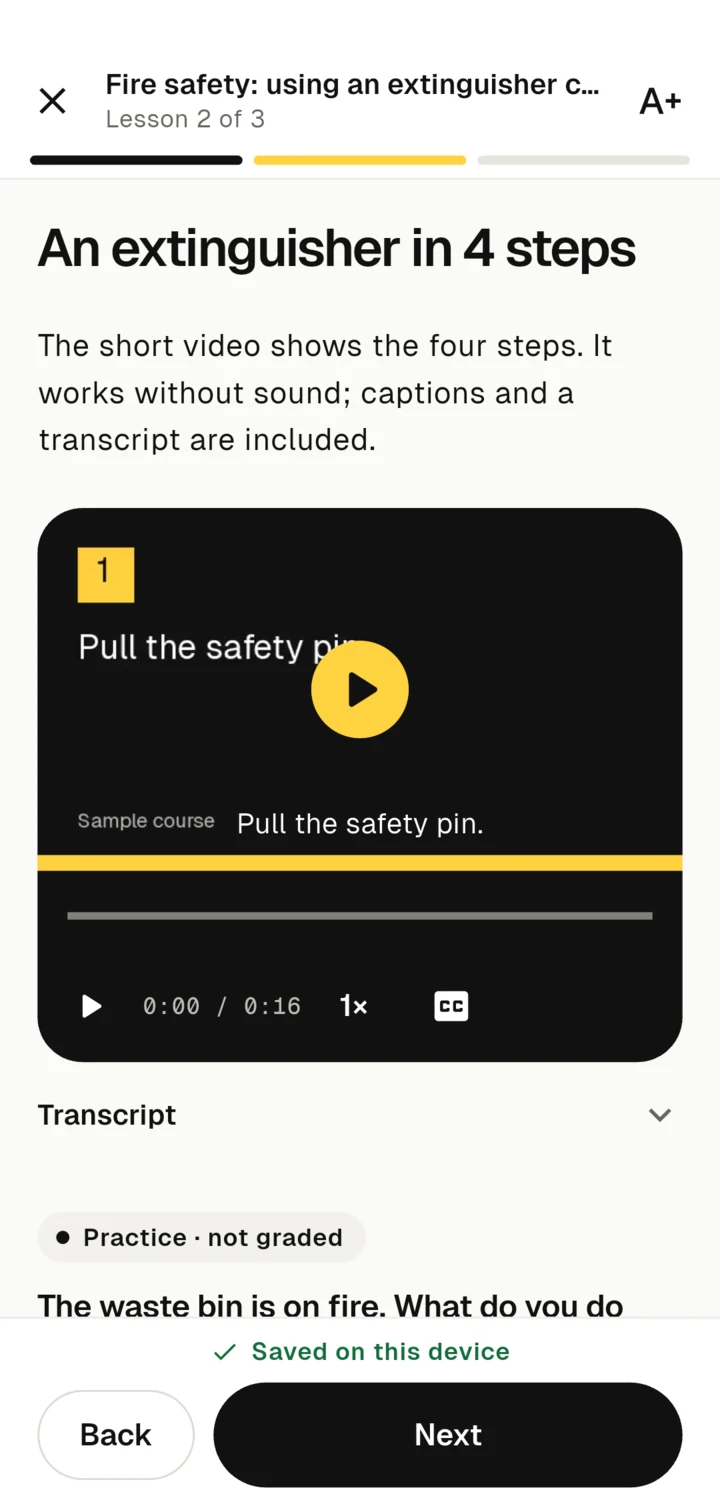
Swipe sideways to browse
Who Zudoria is for
Companies
Instruction on machines, safety and procedures for your own staff – created by the people who do it every day.
Manufacturers and dealers
Customer training on equipment and machinery as a course file to download. Zudoria charges no course fee for it.
Learners
Employees and customers aged 16 and over who receive a course file and want to get started right away.
Buy the software. Courses are separate.
One personal perpetual licence unlocks Studio and Viewer on your own Android devices. Learning material is not included – providers set the rights and prices of their courses themselves.
Install for free
The app is free. You can try Zudoria for 30 usage days: only days on which you edit or learn are counted.
Buy once
After that you buy the full version once in Google Play. No subscription. Your content, progress and records stay accessible either way.
Restore on your own devices
With the original Google Play account you restore the purchase on further devices of your own. This needs an internet connection.
Course files stay free
Sharing and importing course files is separate from the software licence. A course marketplace or cloud sync is not part of this offer.
Introductory price up to and including 31 December 2026: from €29.99, then from €59.99.
Prices differ by country and currency. The price Google Play shows in your region before purchase is what applies. It is a one-time software purchase.
For companies
Need more than a few licences?
For companies with many devices, several sites or large-scale customer training we put together licence packages. Tell us briefly how many devices, what use and what period, and you will get a quote.
Your work stays on the device
Courses, drafts, progress and records are stored locally. Zudoria has no ads and no usage analytics.
Read the privacy policyNo account needed
Learning and creating work without signing in. Only purchase and restore go through Google Play.
Your own backup
A workspace backup saves drafts, progress and records to a file. You decide where it is kept.
Transparent on purchase
On purchase and verification the licence service receives only the receipt and the public device key. Learning content is never transferred.
Help
If you have a question, have the app version and a description of the problem ready. Do not send receipts or confidential course content unasked.